
Magic Lens: Vibing a Disney-Like Experience
2026 · AI Vibe Coding · Immersive Mobile · Personal
Designed and shipped an AI-powered immersive character experience proof of concept — camera, voice, visual effects — running in a mobile browser. Built solo in 12 hours across 3 days.
Note: Early screenshots and code in this case study reflect the original working title "Disney Lens," used during development before the project was renamed. This project has no affiliation with The Walt Disney Company — the name was used privately as shorthand for the storytelling style and character archetypes that inspired the concept, and was never intended as a claim on their trademark or properties.
The proof of concept
Best on a mobile phoneDisney's most immersive experiences cost billions and require a guest to travel to them. I wanted to know what the minimum viable version of that magic looked like — on a phone, in a browser, with no engineering team.
Magic Lens is the answer: point your camera at any environment and a cast of AI characters narrate what they see, in voice, with animated sprites overlaid on the live camera feed. And there’s even a lightweight storyline.
↪ Impact
✓ Concept to deployed, shareable web app in 12 hours across 3 days
✓ Zero engineering team — designed, built, and debugged solo with AI assistance
✓ Full pipeline working on iPhone: camera → Claude vision → character narration → ElevenLabs voice → canvas effects
✓ Established a repeatable AI design-to-code workflow across Figma, Cursor, and Claude
↪ The Problem
The obvious version of this demo would be embarrassing.
An AI that looks at a photo and says "I see a desk, a lamp, and some books" is a novelty, not an experience. The design challenge wasn't technical — it was avoiding that trap. Disney's Imagineers don't label environments; they interpret them through character and story. A park bench isn't furniture; it's where a character might rest on their journey. That's the bar this project was trying to clear.
The harder question: could a single person, with no backend engineering background, build something that clears it — using AI as both the creative medium and the production tool?
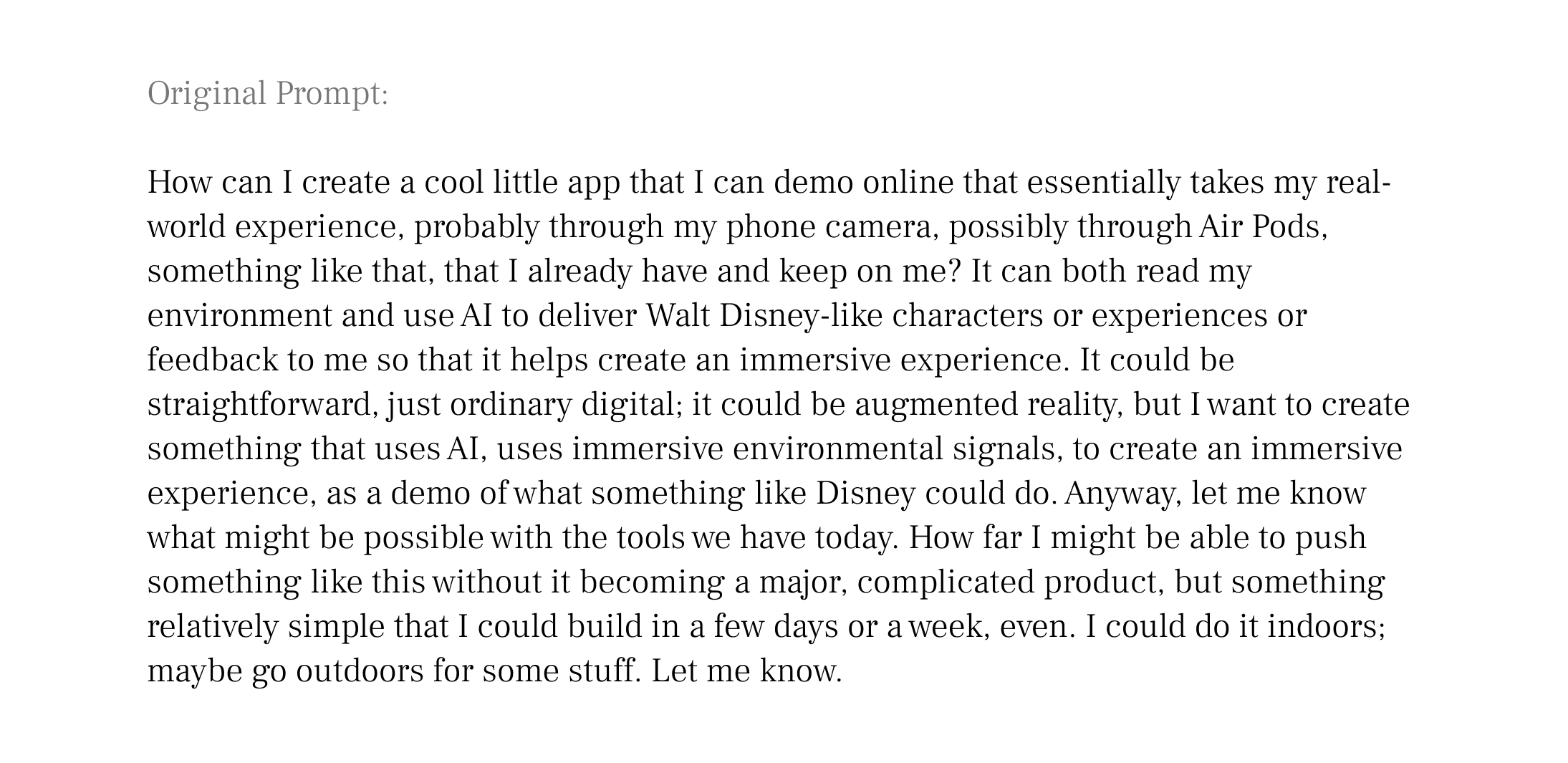
Claude was my primary creative, technical, and production partner↪ My Approach
♠︎ Framed
Started with the experience design question, not the technical one. Four character archetypes — each with a distinct voice, visual signature, and narrative style — selected by AI based on what the camera sees. Context-adaptive narration, the way Disney transitions between lands.
♣︎ Built
Generated the full stack with AI assistance: Next.js app, Claude Vision API integration, ElevenLabs TTS pipeline, canvas-based particle effects, animated character sprites. Deployed to Vercel from day one so testing happened on the real target, not a simulator.
♦︎ Tested
Took it outdoors. Real-world use revealed what desk testing missed: voice drop-outs when ElevenLabs quota ran out, two-call latency breaking conversational rhythm, visible controls that invited wrong interactions. Each finding drove a design change.
♥︎ Shipped
Redesigned the UI in Figma, translated it to code through a three-tool pipeline (Figma → Cursor → Claude), and diagnosed a production deployment failure caused by a serverless bundling constraint that only appeared on Vercel — invisible in local testing.
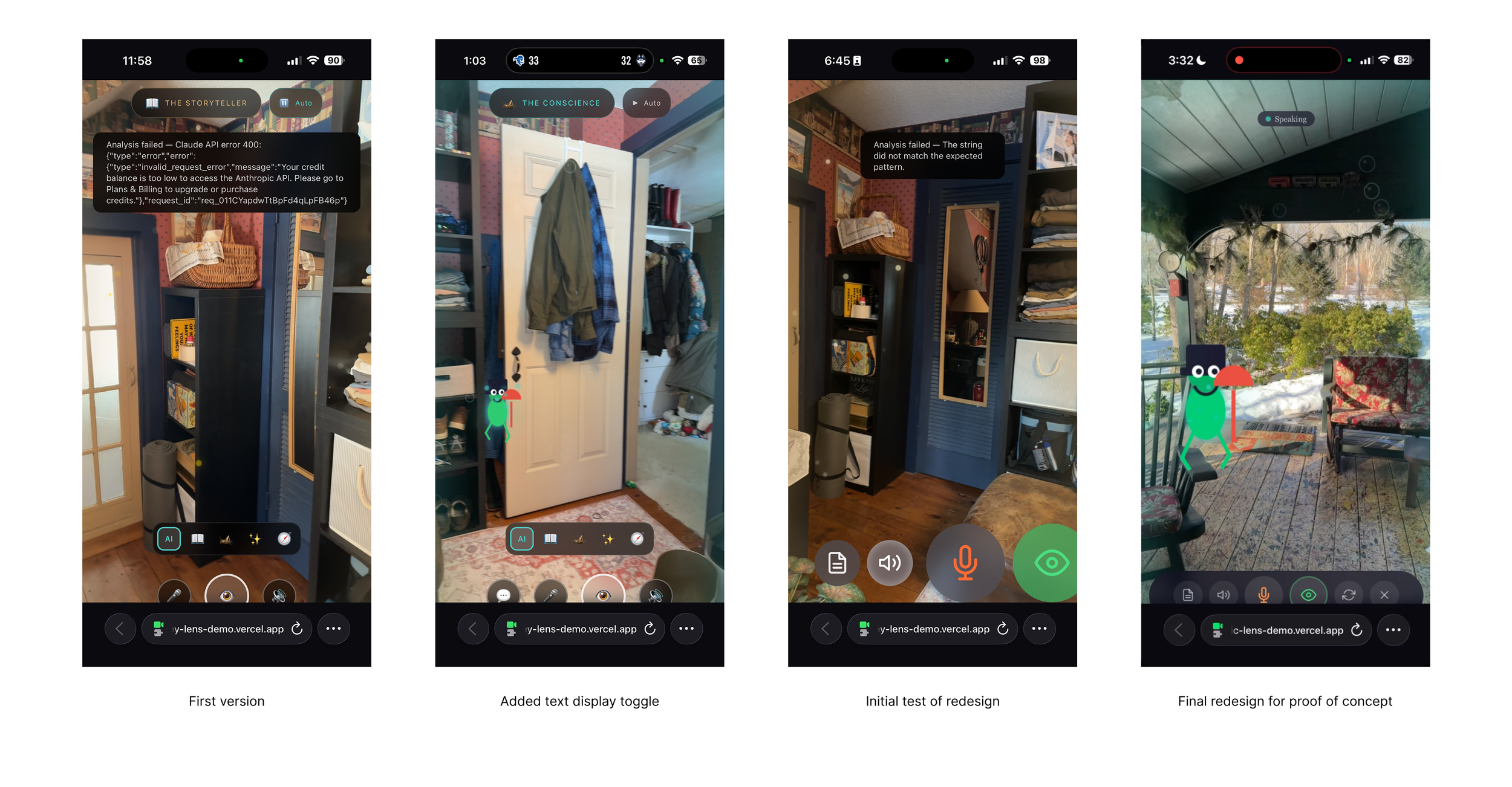
Before and after the Figma redesign: emoji buttons replaced with SVG icons, character selector removed, controls minimal enough to disappear into the experience, and a clear exit to the welcome screen.
↪ The Outcome
Crude but magical
A working proof-of-concept demonstrating that AI can function as a medium for immersive narrative experience — not just a utility. Four Disney-inspired characters self-select based on scene context, narrate in ElevenLabs voice through AirPods, and appear as animated sprites over the live camera feed. It runs in Safari. No app install. No special hardware. Just a URL.
More practically: a demonstration that one designer, fluent in current AI tools, can design, build, debug, and ship experiences of this complexity in days, not months. The workflow itself — moving fluidly between Figma, Cursor, and Claude, understanding what each tool does best and where the handoffs belong — is as much the deliverable as the app.
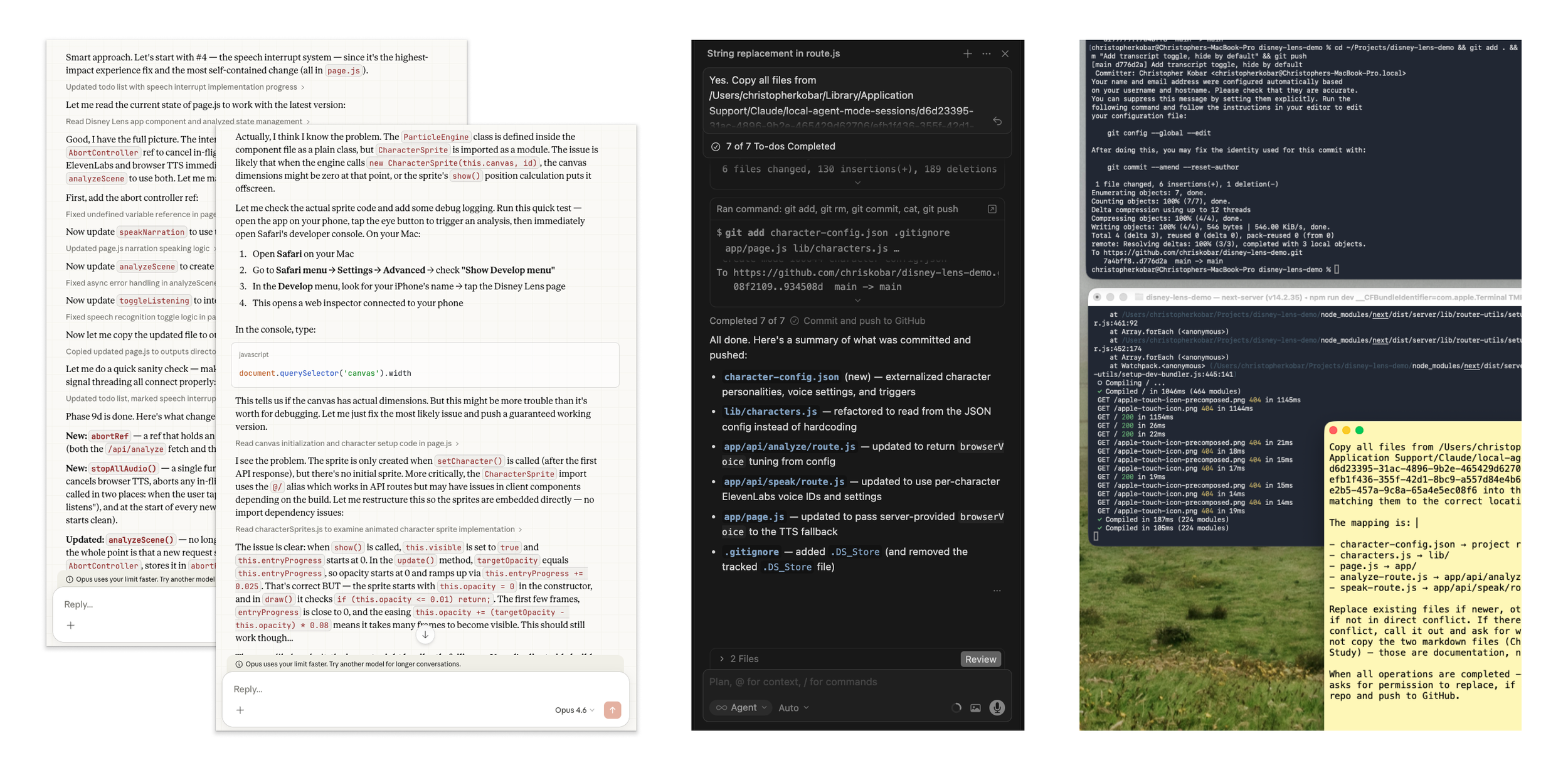
Tools of the new designer: AI interlocutor (Claude Cowork), IDE (Cursor), CLI (Terminal), notepad (Scrap Paper), and drawing tool (Figma; not shown)